 192 Views
For years, the primary challenge in AI development was the “dependency hell”—a precarious state where drivers, libraries, frameworks, and hardware architectures had to be perfectly aligned. A minor version mismatch between a CUDA driver and a deep learning framework like PyTorch could stall a project for days.
The NVIDIA GPU Cloud was designed to eliminate this friction. By providing a curated registry of GPU-optimized software, NGC ensures that every container, model, and industry-specific SDK is pre-configured and tested to run at peak performance on NVIDIA hardware. Whether you are operating on a local RTX workstation, a massive DGX cluster, or a sovereign cloud instance, NGC provides a consistent environment that allows developers to focus on innovation rather than infrastructure.
To understand the breadth of NGC, one must look at the three primary categories of resources it provides: containers, pre-trained models, and software development kits (SDKs).
At the heart of NGC are its containers. These are not merely standard Docker images; they are high-performance environments specifically tuned for the latest NVIDIA architectures, such as Blackwell and Vera Rubin.
Each container includes the necessary CUDA-X libraries, drivers, and frameworks (TensorFlow, PyTorch, JAX) required to run workloads. Because NVIDIA engineers optimize these stacks monthly, users often see immediate performance gains simply by pulling the latest version of a container, without changing a single line of code.
Training a large-scale model from scratch is a luxury few can afford in terms of time and capital. NGC provides a massive library of pre-trained models that cover everything from computer vision and natural language processing to drug discovery and climate modeling.
In 2026, the focus has shifted toward Foundational Models that are “transfer-learning ready.” This allows organizations to take a state-of-the-art model and fine-tune it with their proprietary data, significantly reducing the training time from months to days.
For specific sectors, NGC offers specialized toolkits that accelerate the development of vertical-specific applications. Examples include:
To simplify the deployment of these complex stacks, NGC provides Helm charts—standardized templates for Kubernetes that automate the orchestration of multi-container applications across clusters.
The most significant evolution in the NGC ecosystem in recent years is the introduction and expansion of NVIDIA NIM (Inference Microservices). As generative AI moved toward production, the industry needed a way to deploy models that were not just fast, but also easy to integrate into existing enterprise software stacks.
NIMs are a set of easy-to-use microservices designed to accelerate the deployment of generative AI models across any infrastructure. They package the model, the inference engine (like TensorRT-LLM), and standard APIs into a single, deployable unit.
Before NIMs, deploying a Large Language Model (LLM) required deep expertise in model quantization, memory management, and API design. Now, a developer can pull a NIM container from NGC and have a production-grade inference server running in minutes.
NIMs offer:
One of the greatest strengths of NGC is its “run anywhere” philosophy. In an era where data sovereignty and hybrid cloud strategies are paramount, NGC provides a unified workflow across disparate environments.
NGC is deeply integrated with major cloud providers including AWS, Microsoft Azure, and Google Cloud. Most providers offer “NVIDIA-Optimized Machine Images” (VMIs) that come pre-installed with the NGC CLI, allowing users to pull resources directly into their cloud instances. For nations and organizations requiring sovereign clouds to keep data within borders, NGC provides the software stack necessary to maintain high-performance AI capabilities locally.
For organizations with high-security requirements or massive data footprints, on-premises deployment remains the gold standard. NGC software is the native operating environment for NVIDIA DGX systems, ensuring that these “AI factories” are utilized to their full potential.
As AI moves closer to the point of data generation—in hospitals, retail stores, and factories—managing distributed GPU resources becomes a logistical hurdle. NGC integrates with NVIDIA Fleet Command, a cloud-managed service for deploying and managing AI at the edge. This allows a central IT team to push an NGC container to thousands of edge devices simultaneously with the same ease as a cloud deployment.
While the public NGC catalog is an incredible resource for developers and researchers, enterprises require a higher level of assurance. This is where NVIDIA AI Enterprise comes into play.
NVIDIA AI Enterprise is a subscription-based software suite that provides an enterprise-grade version of the NGC catalog. It is designed for businesses that cannot afford downtime or security vulnerabilities in their production AI pipelines.
Every container in the NVIDIA AI Enterprise catalog undergoes rigorous security scanning for Common Vulnerabilities and Exposures (CVEs). Furthermore, NVIDIA provides “Model Signing,” which allows organizations to verify that the AI model they are running is exactly what it claims to be, protecting against “model poisoning” or unauthorized tampering.
In a production environment, stability is often more important than the newest feature. NVIDIA AI Enterprise offers Long-Term Support branches for key frameworks, ensuring that an enterprise can keep its applications running on a stable, patched version of software for years without being forced into disruptive upgrades.
To further lower the barrier to entry, NVIDIA has introduced tools that streamline how developers interact with NGC.
The AI Workbench is a unified developer desktop environment that allows users to easily clone projects from NGC, GitHub, or Hugging Face. It automates the setup of the local environment and, crucially, makes it easy to “burst” a project from a local laptop to a powerful cloud or data center resource. It handles the migration of the container and data, ensuring that “it works on my machine” translates to “it works in the cloud.”
For large-scale team management, NVIDIA Base Command Manager provides the orchestration layer. It allows IT managers to monitor GPU utilization across a cluster, manage user access to specific NGC private registries, and ensure that compute resources are allocated efficiently. It is the “command center” for the modern AI-driven organization.
The impact of NGC is perhaps most visible in its specialized collections. These are not just groups of containers; they are complete blueprints for solving industry-specific problems.
In 2026, AI-driven drug discovery and medical imaging are moving at breakneck speeds. The Clara collection on NGC provides developers with pre-trained models for organ segmentation, genomics pipelines (Parabricks), and MONAI (Medical Open Network for AI). These tools allow hospitals to deploy real-time diagnostic assistants that can detect anomalies in X-rays or MRIs with superhuman accuracy.
The Isaac platform on NGC provides the libraries and simulation environments (Isaac Sim) needed to train autonomous robots in a “digital twin” of a factory before they are ever deployed in the physical world. This “sim-to-real” workflow, powered by NGC containers, reduces the risk of hardware damage and significantly accelerates the training of complex robotic behaviors.
For the autonomous vehicle industry, NGC hosts the DRIVE OS and various simulation tools. These allow developers to test self-driving algorithms against billions of simulated miles, covering edge cases that would be too dangerous or rare to encounter in real-world testing.
As we look toward the future, the role of NGC is expanding into even more advanced domains. We are seeing the rise of Quantum-aligned HPC, where NGC provides the bridge between classical GPU acceleration and emerging quantum computing simulators.
Furthermore, as “Agentic AI” becomes the norm, the NGC catalog is evolving to host not just models, but “Agent Blueprints.” These are pre-configured workflows that include the reasoning models, the tools (like web search or database access), and the guardrails required for an AI to perform complex, multi-step tasks autonomously.
The NVIDIA GPU Cloud has evolved from a simple repository into the world’s most advanced engine for AI software distribution and management. For the developer, it offers a path away from infrastructure headaches and toward rapid prototyping. For the enterprise, it provides a secure, supported, and scalable foundation for the next generation of business intelligence.
In the competitive landscape of 2026, the speed of AI deployment is a primary differentiator. By leveraging the pre-optimized containers, foundational models, and NIM microservices found in NGC, organizations can ensure they are not just building AI, but building it on the most efficient and reliable platform available today.
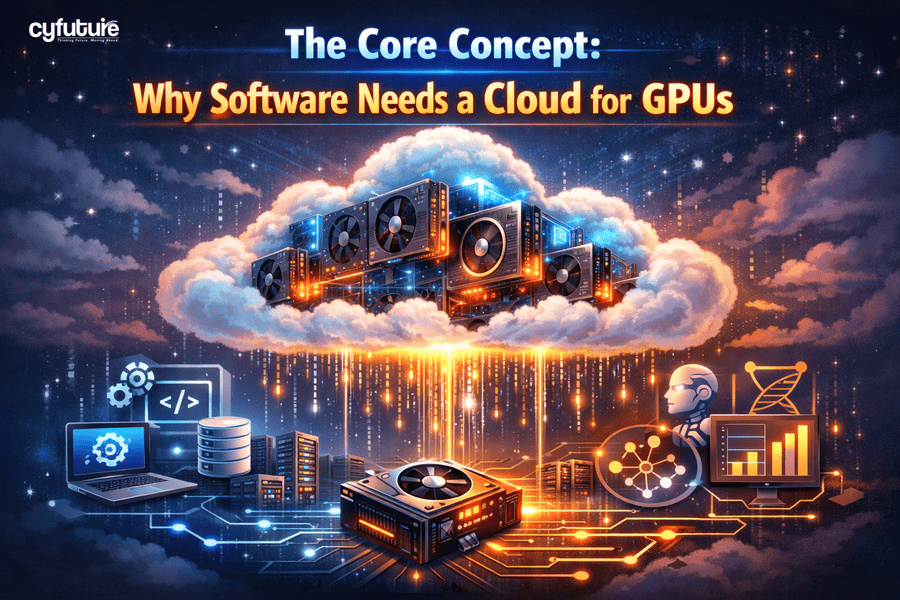
Cloud-based GPUs provide massive parallel processing power that traditional CPUs can’t match. This is crucial for AI, machine learning, data analytics, 3D rendering, video processing, and real-time simulations. The cloud makes this power scalable, on-demand, and cost-effective without requiring physical hardware.
Instead of purchasing expensive GPU servers, businesses can “rent” GPU resources only when needed. This eliminates upfront capital expenditure, physical maintenance, hardware upgrades, cooling, and power costs—making cloud GPUs significantly more economical for most workloads.
AI/ML model training, LLM inference, scientific computing, game development, 3D CAD tools, video rendering platforms, autonomous systems, and big-data analytics platforms gain the most. Any software needing high-speed computation or parallel processing benefits directly.
Cloud platforms allow apps to dynamically scale GPU capacity up or down based on workload. For example, users can instantly add more GPUs during peak loads (training models or running heavy jobs) and release them afterward—ensuring optimal performance without overprovisioning.
Yes. Leading cloud providers implement strong isolation, encrypted environments, RBAC access controls, private networking, and compliance frameworks. Enterprises can run sensitive workloads on dedicated GPU instances or VPC-based deployments to maintain security and regulatory standards.